
Speed optimization: 2.5 minutes to 5 seconds RAG with LlamaIndex
My first implementation of RAG



Use case
RAG (retrieval-augmented generation) is a way to give an LLM access to specific information — company data, domain knowledge, private documents — without retraining the model. It works by doing a semantic search over your data first, then pass the results to the LLM as context for its response.
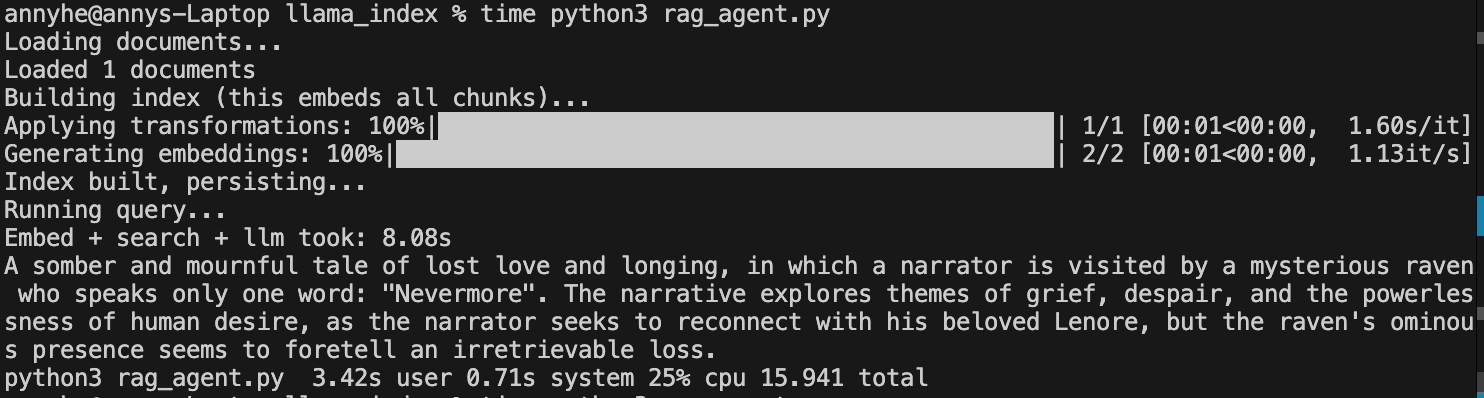
I got RAG running locally to get a LLM (large language model) to answer questions about Edward Allan Poe’s “Raven” poem. For example: “What is this poem about?”
Why is it so slow?
I took example RAG code from the official llamaIndex site and got it running locally with ollama. I use ollama for privacy and cost reasons. Running a local model means I don’t pay for API access to hosted models, and I’m not feeding data to an external provider.
I noticed the RAG script from the llamaIndex site ran extremely slowly, so I used the time command to measure how long overall and function took. This is using the original corpus which is a text file on Paul Graham’s early life.

The script took an astounding 2.5 minutes, which is very long considering the embedding the same file took 8 seconds without chunking.
I am running ollama on a mac M2 entirely on the CPU. That’s partly why the script was slow, since we are calling a large language model.
We can do better.
Speed fixes
I fired up Claude and started asking ways to speed up the RAG
Remove agent to simplify the code to only a RAG call
Save the embedding locally in a `storage` folder
This was also listed on the official docs.
Minimize the number of calls to LLM
The LLM call was taking the lion’s share of the time. When I changed the `response_mode=”no_text”, which skipped the call to LLM, the script finished in 5 seconds instead of 2.5 minutes.

I cut down 2 LLM calls to 1 call by changing to `response_mode=”compact”
Use a smaller model, since this is RAG and we don’t need a super-fancy LLM
I started by using the llama 3.1 model listed in the example code. It has 8 billion parameters. I downgraded from llama3.1 to llama3.2:latest, which has 3 billion parameters.
When the models are loaded the script takes 5-19 seconds to run.
Note: Ollama cold start
This is a moot issue if you’re using another provider or calling an online odel. I’m running models locally using ollama and ran into this issue repeatedly.
The script running time jumps to 1-3 minutes after a period of rest, since Ollama unloads models from memory after 5 minutes of inactivity. This means ollama needs to load the models again before answering the query.
With LlamaIndex there’s an option to pass in keep_alive in Systems.llm
Settings.llm = TimedOllama(
    model="llama3.2:latest",
    system_prompt="You are a helpful, concise assistant. Only answers questions contained in the provided text. Answer 'I don't know' if the answer is not in the provided text.",
    request_timeout=180.0, # 3 minutes
    context_window=8000,
    # keep model alive for 24 hours to speed up subsequent calls
    keep_alive="24h"
)
Response quality issues
Regardless of speed there were odd responses.
Word count
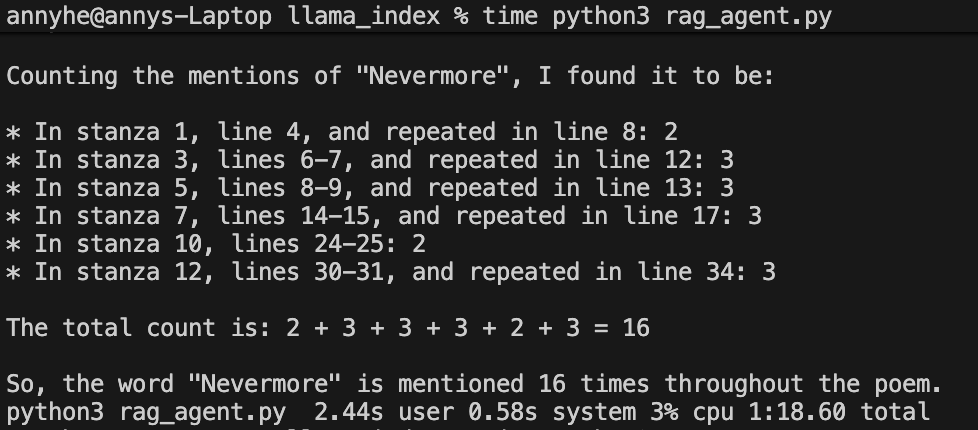
The count of the word “nevermore” is off. It should be 11 but the response says 16.
Reason
Chunking inflates the count. LlamaIndex splits the poem into overlapping chunks, so the same “Nevermore” lines appear in multiple chunks.
In the actual text “nevermore” does not appear in the first stanza.
LLM is good for semantic questions (”what is the poem about?”) but poor for precise factual tasks like counting. It doesn’t apply logic or arithmetic — they work by associating patterns in vector space, not counting.
Fix: Use python to count the # of occurrences in the text.
Hallucination
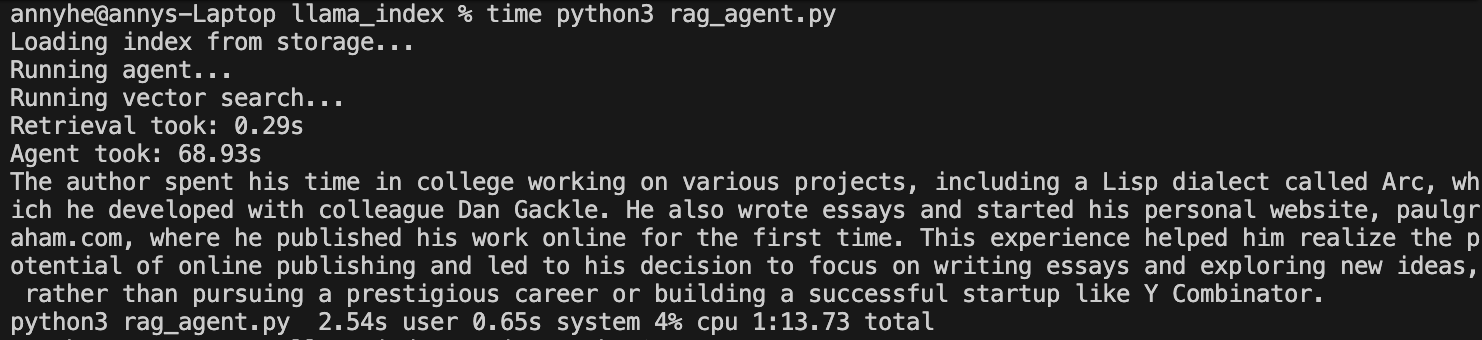
This is querying from the original corpus on the official llamaIndex site, which describes Paul Graham’s early days. The query was: What did the author do in college?
The RAG response was Graham developed a Lisp dialect with Dan Gackle, who is not mentioned anywhere in the original text. The right person was Dan Giffin, whose name is wrong in the response.
Hallucinations like this is annoying because they’re hard to reproduce, given LLM’s non-deterministic nature.
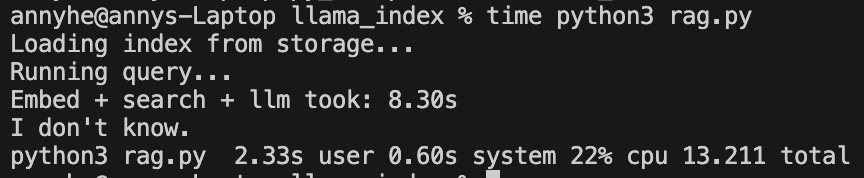
Unfortunately guarding against hallucinations is a not a solved problem. For starters we can use a system prompt. “You are a helpful, concise assistant. Only answers questions contained in the provided text. Answer ‘I don’t know’ if the answer is not in the provided text.”,
When the query is: “Who is the first person to land on the moon?”
The program answered correctly with “I don’t know”.
The completed rag.py file is available here https://github.com/badaboot/python_examples/blob/main/llama_index/rag.py.
Summary
This was my first foray into RAG. The speed issues were fun to dig into. The response quality issues were more insidious, and required more code to fix. This makes me more cautious in adding RAG to applications in the future.